
One long video in. Vertical clips out. On your own PC.
Cliptall finds the strongest moments in a long video, crops them to 9:16 around the speaker and lights up every word as it is spoken. Nothing leaves your PC.
Your first video has no watermark. After that, 3 clips a day, free for as long as you want.
The same moment, before and after
On the left, the frame as you recorded it. On the right, the clip Cliptall wrote out: a tall crop that stays on the speaker, with the word being spoken lit up in yellow.


A real frame from a real run. Nothing here was touched up by hand.
Clips it made
Three steps
-
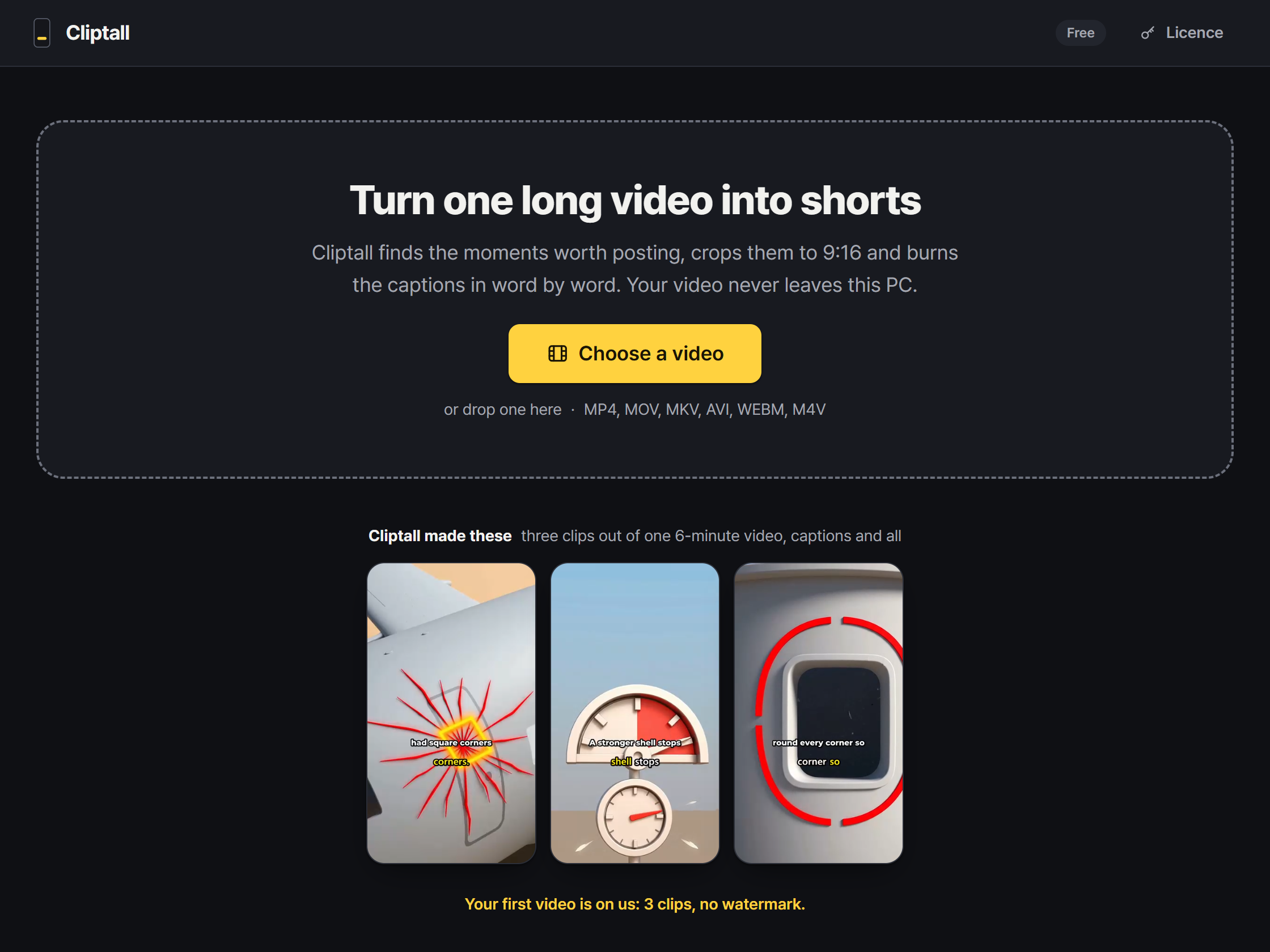
Drop in your video
Drag a file from your PC into the window. No account, no link to paste, no upload.
-
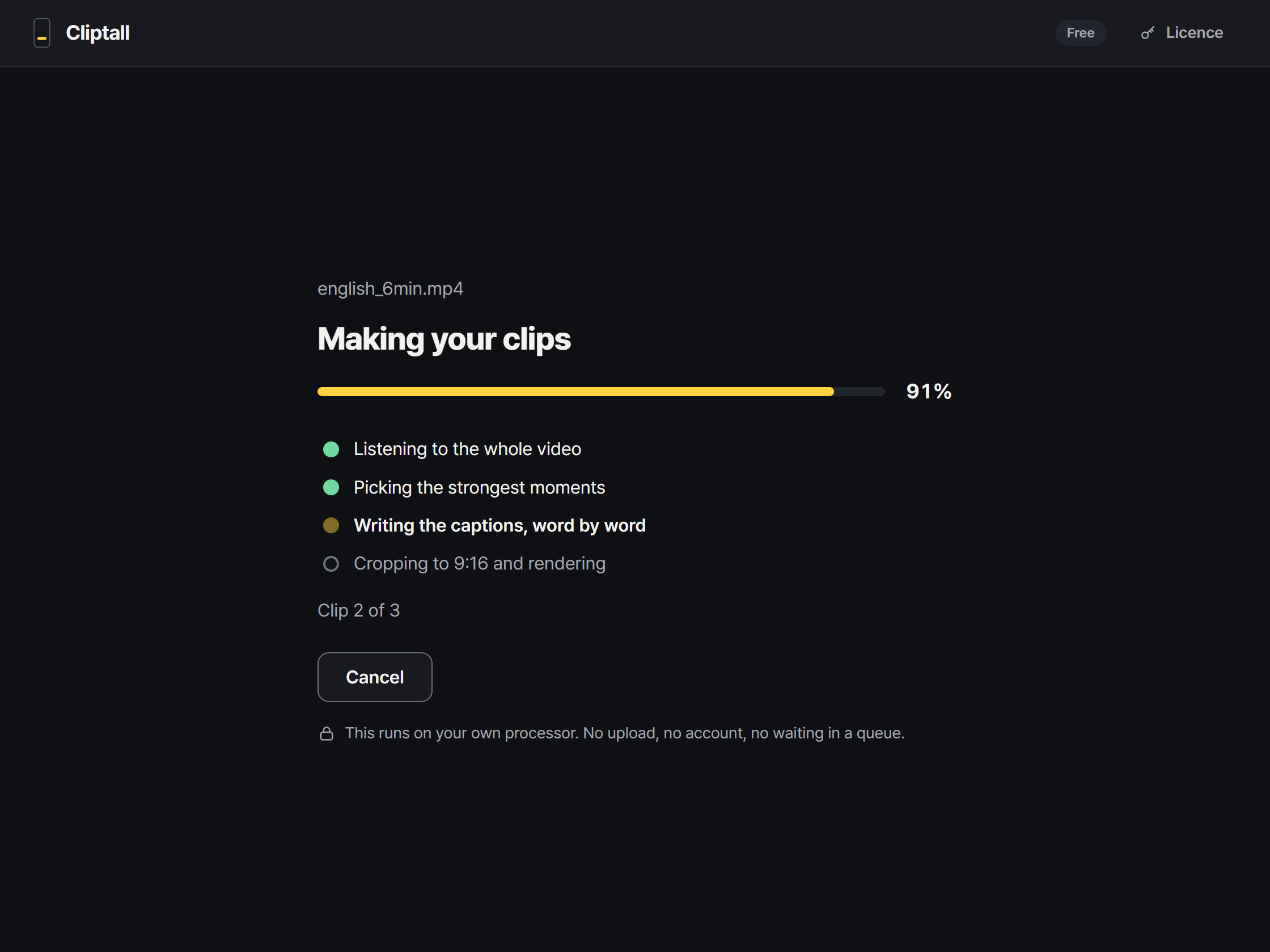
Let it work
Cliptall writes down what is said, scores every stretch of the video, keeps the best 3 and crops each one to 9:16 around the face. A 58-minute video takes about 4 minutes on a 6-core CPU.
-
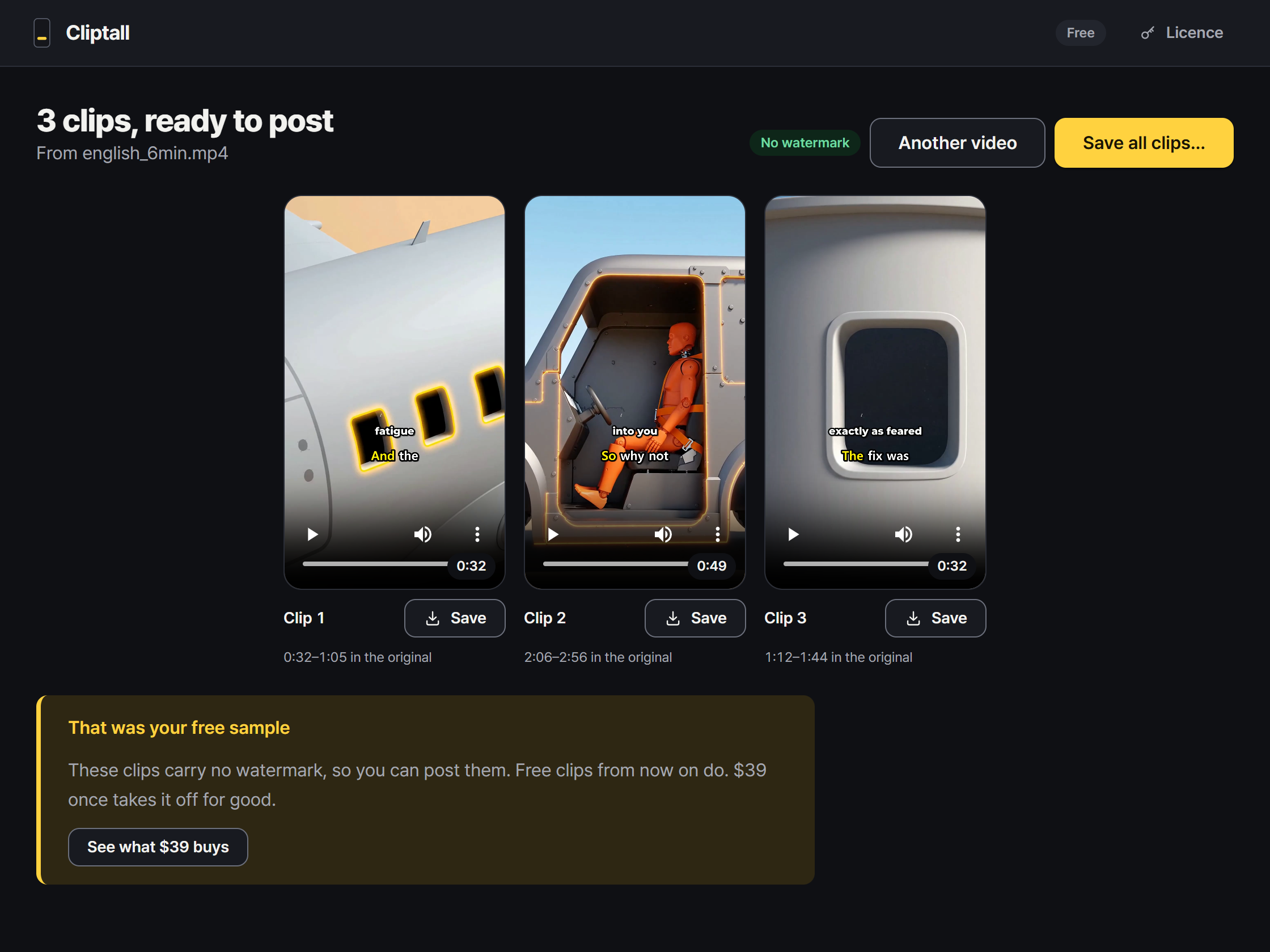
Save the ones you like
Watch each clip in the window and save it as an MP4, ready for Shorts, Reels or TikTok.
Why it runs on your PC
Every other tool in this corner wants your footage on its servers first. Cliptall does not.
Your video stays with you
Cliptall reads the file on your disk and writes the clips beside it. Client work, unreleased footage and anything under embargo never leaves the room.
No upload, no queue
A 2 GB recording does not have to crawl up your connection before anything happens. The work starts the second you drop the file in.
Pay once
A licence key, not a monthly bill. Every 1.x update is included, and stopping for six months costs you nothing: it is still yours when you come back.
No minutes counting down
No credits, no per-video fee, no plan to upgrade when a long video eats the month. Your CPU is the only limit.
Price
Run it free for as long as you like. Buy a key when the watermark starts getting in your way.
$39 once. The cloud tools that do this job charge $15 to $29 a month, and the clips stop the month you stop paying.
Free version
Free
- Your first video: 3 clips with no watermark
- After that, 3 clips a day, free for as long as you like
- A small watermark in the corner from the second video on
- Same captions, same crop and same picture quality as the paid version
- No account, no card, no sign-up
Cliptall licence
$39 one-time
- No daily limit, and up to 5 clips per video instead of 3
- No watermark, ever
- One key for 2 PCs, and you can free a PC again from the app
- Every 1.x update included
- Activate once online, then up to 30 days offline between checks
- 14-day refund
Card payment, handled by Polar.

The store is not open yet. Download the free version now; a key unlocks the copy you already have.
14-day refund. Reply to the order email Polar sends you and say the word. Payment is handled by Polar, the merchant of record. Sold by ZIZI Company.
Download
One file. It is the free version, and your key turns the copy you already have into the paid one, so there is nothing else to download after you buy.
- Version 0.1.0
- 489 MB
- Windows 10 or 11, 64-bit
- About 1.4 GB on disk
SHA-256 of the file
90c2d8d13d01318ecb9d18fae5348e8ddde94ce747755f6fd2f93b26859cf84dThis installer is not code-signed yet, so Windows will put a blue warning in front of it. That warning is about the missing signature, not about what is in the file.
Your browser may call it an uncommon file first. Keep it. Then, on the Windows warning, choose More info and Run anyway.
Questions
What do I need to run it?
Windows 10 or 11, 64-bit, and about 1.4 GB of free disk space. The speech models and the video tools are inside the installer, so there is nothing else to install. It works on the processor alone: no graphics card, and no internet connection while it makes clips.
How long does it take?
Measured on a 6-core desktop processor with nothing else running: a 58-minute video took about 4 minutes, a 6-minute one about 70 seconds. Twice the cores roughly halves it. A laptop on battery will be slower.
Which languages can it caption?
It works out the language from the speech itself. Korean and English are the two we have measured. Other languages the model knows, Japanese among them, do produce captions, but we have not measured how good they are, so try the free version on your own material first. The app window itself is in English and Korean: Korean Windows gets Korean, everything else English.
Is my video uploaded anywhere?
No. The file is read from your disk and the clips are written back to your disk. The only thing Cliptall ever sends over the network is your licence key, when you activate it and when it is re-checked. Your video, its sound and its captions are never part of that.
Does it work offline?
Making clips always works offline, free version included. The paid version asks for a connection once, to activate your key, and then keeps working offline for up to 30 days between checks.
What does the watermark look like?
One short line of half-transparent text in the top right corner of the clip, reading "Cliptall Free". Your first video does not get it at all. From the second video on it is there, it does not cover the speaker or the captions, and the clip is identical in every other way. A licence key removes it for good.
Can I paste a YouTube link?
No, and we are not going to add it. Cliptall works on video files that are already on your PC.
Which video files can I drop in?
The usual ones: MP4, MOV, MKV, WebM, AVI and most other things a normal camera, phone or recorder writes. If it has speech in it, it will caption it.
Why does Windows warn me about the installer?
Because it is not code-signed. A signing certificate costs a few hundred dollars a year and we have not bought one yet. Windows shows "Windows protected your PC", and the way past it is More info and then Run anyway. The SHA-256 of the file is printed next to the download button, so you can check that what you got is what we published.
How many PCs can I use one key on?
2. If you replace a PC, free the old one from inside the app and use the key on the new one.
Can I get a refund?
Yes, within 14 days, no questions asked. Reply to the order email Polar sends you. There is also a free version, so you can watch it work on your own videos before you pay anything.
Is there a Mac version?
Not today. Cliptall is a Windows program. We have no date for a Mac build.